Account Attributes
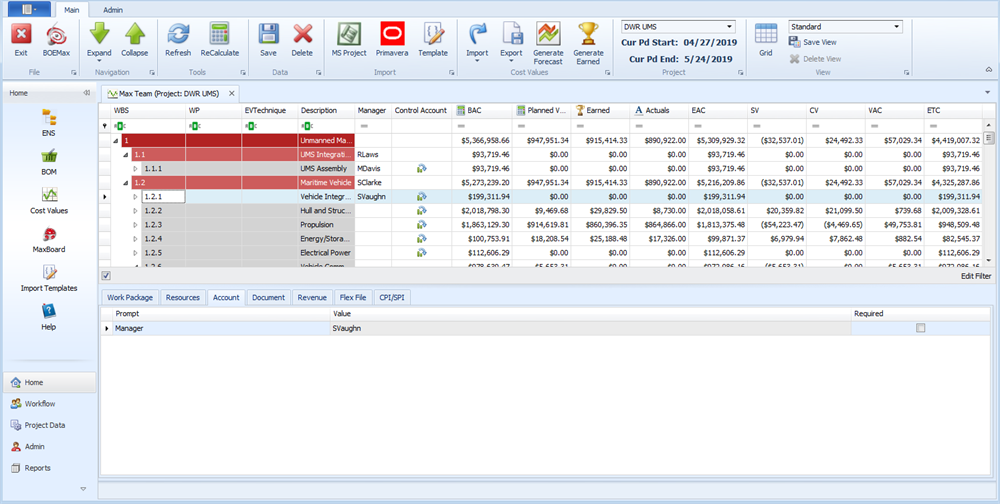
The Account level in EVMax is either a work breakdown structure (WBS) element or a control account. You have the option of adding user defined codes or fields to the WBS elements or control accounts. For example, perhaps you want to create a project organization code structure or a code structure with a list of named managers responsible for the WBS elements or control accounts. Once you add the code structure as a user defined field to the project at the account level, you can select the organization entity or manager for the WBS elements or control accounts in the main EVMax window.
As an option, you can also enter documentation text for the WBS elements or control accounts in the main EVMax window.
 Implementation Tips
- Determine if you need to add user defined codes or fields to the control accounts. Define these attributes as part of your project set up process so you can select the applicable codes or enter the applicable text when you identify your control accounts.
What do you want to do?
- Add Project User Fields. For the dropdown, select .
- Enter Account User Fields
- Add Project Standard Documents. For the dropdown, select .
- Enter or Edit Documentation
Main EVMax Window, Account Tab
Standard View